A vibrating outboard isn't just annoying — it's destructive. An unbalanced propeller sends shock waves through your lower unit, chews up bearings, loosens bolts, and fatigues your transom. The good news? You can balance an outboard propeller yourself in about 30 minutes with basic tools.
I've balanced hundreds of props over the years, from small 9.9 HP aluminum wheels to beefy stainless 4-blades on offshore rigs. The process is the same every time. Let me walk you through it.
Table of Contents
What You'll Need
Here's your checklist before you get started:
- Propeller balancer — A cone-style or magnetic balancer. You can pick one up for $15–$40. The magnetic type is more precise.
- Fine mill file or 220-grit sandpaper — For removing material from the heavy blade.
- Digital scale (optional but helpful) — Accurate to 0.1 grams.
- Clean rag and solvent — Marine barnacles, fishing line, and salt deposits all affect balance readings.
- Marker or grease pencil — To mark the heavy blade.
- Calipers or a ruler — For checking blade dimensions.
- Safety glasses — Metal filings have a way of finding your eyes.
If your propeller is damaged — bent blades, chunks missing, deep dings — balancing won't fix that. You'll need a replacement. Check out SeaSierra's full range of outboard propellers if that's where you're at.
Step-by-Step Instructions
Step 1: Remove and Inspect the Propeller
Pull the prop off the shaft. Before you even think about balancing, give it a thorough inspection:
- Look for bent blade tips (sight down each blade from the hub).
- Check for nicks, dings, or missing material on the leading and trailing edges.
- Run your fingers along the blades and feel for rough spots.
- Look for fishing line wrapped around the hub — this is more common than you'd think, and it damages seals.
Clean the prop completely. Any marine growth, corrosion, or gunk will throw off your balance readings. Use solvent on stubborn deposits.
Step 2: Set Up Your Balancer
Place your balancer on a flat, stable surface away from wind and vibration. If you're using a cone-style balancer, slide the prop onto the cone so it sits level. For magnetic balancers, follow the manufacturer's setup — most use a shaft that threads through the hub bore.
The key here: the prop must spin freely with zero friction. If there's any resistance, your readings will be garbage. Give it a test spin. It should rotate smoothly and coast to a stop on its own.
Step 3: Find the Heavy Blade
This is the core of prop balance work. Place the propeller on the balancer and let it settle. The heavy blade will rotate to the bottom. Mark it with your grease pencil.
Rotate the prop 90 degrees and release it again. It should return to the same position, with the heavy blade dropping to the bottom. Do this three or four times to confirm. If the prop settles in a different position each time, it's already close to balanced — but keep going.
For a three-blade prop, you're looking for one blade that consistently pulls down. On a four-blade, it could be one blade or an adjacent pair.
Step 4: Remove Material from the Heavy Blade
Here's where patience matters. You're going to file material from the back face (the non-pressure side) of the heavy blade, near the tip where removal has the most leverage effect.
Work slowly. Remove a small amount — we're talking a few passes with a fine file — then recheck on the balancer. The tolerance you're aiming for: the prop should sit motionless at any position on the balancer. In practice, if the prop doesn't move within 3–5 seconds of being placed in any orientation, you're in good shape.
Here's the process in a loop:
- File 3–5 light strokes on the back of the heavy blade, near the tip.
- Clean off the filings.
- Place back on the balancer.
- Check if the heavy blade still drops.
- Repeat until balanced.
On most aluminum props in the 10"–16" range, you'll need to remove about 1–3 grams of material. Stainless props are denser, so you'll remove less material for the same effect.
Step 5: Verify Balance in Multiple Positions
Once the prop seems balanced, verify it thoroughly. Place it on the balancer and check it in at least six positions — rotate roughly 60 degrees each time. The prop should stay put in every position. If it drifts in one particular orientation, you've still got a slight imbalance. Keep filing.
Step 6: Smooth and Reinstall
After balancing, smooth out your file marks with 220-grit sandpaper. You don't want rough spots creating turbulence. Reinstall the propeller with the correct torque — typically 55–60 ft-lbs for most outboards in the 75–300 HP range, but always check your engine's service manual.
While you're at it, inspect your prop hardware. Worn thrust washers, damaged splines, or a corroded cotter pin can introduce vibration that no amount of balancing will fix.
Pro Tips
Tip 1: Balance new props too. Don't assume a brand-new propeller is perfectly balanced out of the box. Manufacturing tolerances mean even quality props can be slightly off. I've pulled new props out of the box that needed a touch-up. It takes five minutes and saves you headaches later.
Tip 2: Check for straightness first. A bent blade will always read as a balance issue, but filing won't fix it. Lay a straightedge across the blade faces. Each blade should have identical pitch and rake at the same distance from the hub. If one blade is off by more than 1/16", it needs professional repair or replacement.
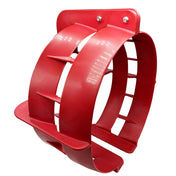
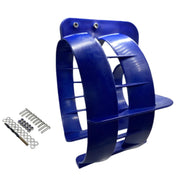
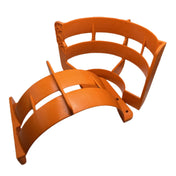
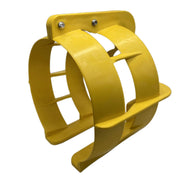
Tip 3: Consider a propeller guard. If you're running in shallow or debris-heavy water, a hit from a submerged log can knock your prop out of balance overnight. A good set of propeller guards is cheap insurance against damage and the vibration that follows.
Tip 4: Mark your prop. After balancing, put a small paint mark on the hub at the 12 o'clock position relative to the shaft keyway. If vibration returns down the road, you can quickly check whether the prop has shifted on the splines.
Common Mistakes to Avoid
Removing too much material at once. This is the number one mistake. You can always take more off, but you can't put it back on. Go slow. Five light file strokes, then recheck.
Filing the pressure face. Always remove material from the back (anti-cavitation) side of the blade. Filing the pressure face changes the blade's hydrodynamic profile and can hurt performance or cause ventilation.
Ignoring hub damage. A worn or cracked rubber hub insert can cause vibration that looks like a balance issue. Spin the prop on the hub by hand — if there's more than about 10–15 degrees of play, the hub insert is shot.
Balancing a damaged prop. If a blade is bent, cracked, or has significant chunks missing, balancing is a band-aid on a broken bone. Replace it. Running a damaged prop risks catastrophic failure and lower unit damage that'll cost you far more than a new wheel.
Skipping the cleaning step. I've seen guys spend 20 minutes filing a prop only to realize the "imbalance" was a blob of barnacle growth on one blade. Clean it first. Always.
FAQ
How do I know if my propeller is out of balance? The classic symptom is vibration that increases with RPM. You might also notice a buzzing or humming through the tiller or steering wheel. At higher speeds, an unbalanced prop can cause the stern to shimmy. If vibration appeared suddenly after hitting something, your prop is the first thing to check.
Can I balance a propeller without a balancer? Technically, yes — you can suspend it on a smooth dowel through the hub bore and watch which way it tilts. But a proper balancer costs under $40 and gives you much more reliable results. It's worth the investment if you do any amount of your own prop work.
How often should I check prop balance? Check it at the start of every season, after any impact or grounding, and whenever you notice new vibration. If you run in rocky or debris-heavy areas, check it more often.
Does prop balance affect fuel economy? Absolutely. An unbalanced propeller creates uneven thrust and additional drag. Boaters commonly report a 5–10% improvement in fuel economy after fixing a propeller vibration issue.
Should I balance aluminum and stainless props differently? The process is identical. The only difference is that stainless steel is harder to file, so use a quality mill file and expect it to take a bit longer. Stainless props also hold balance better over time because they're more resistant to dings and corrosion.
Bottom Line
Balancing an outboard propeller is one of those jobs that's simple, cheap, and makes a real difference in how your boat runs. A smooth-running prop protects your lower unit, saves fuel, and makes every trip more enjoyable. It's 30 minutes of work that can save you hundreds in avoided repairs.
If your current prop is beyond saving — heavy damage, cracked blades, or a worn-out hub — don't try to nurse it along. Browse SeaSierra's selection of outboard propellers for a quality replacement. Our props are sourced from the same factories that produce for major OEM brands, built to the same specs and materials, just without the brand markup that inflates the price by 30–50%. You get the quality your engine deserves at a price that makes sense.
Got questions about which prop fits your setup, or need help diagnosing a vibration issue? Reach out to our team — we've been matching boaters to the right parts for years.